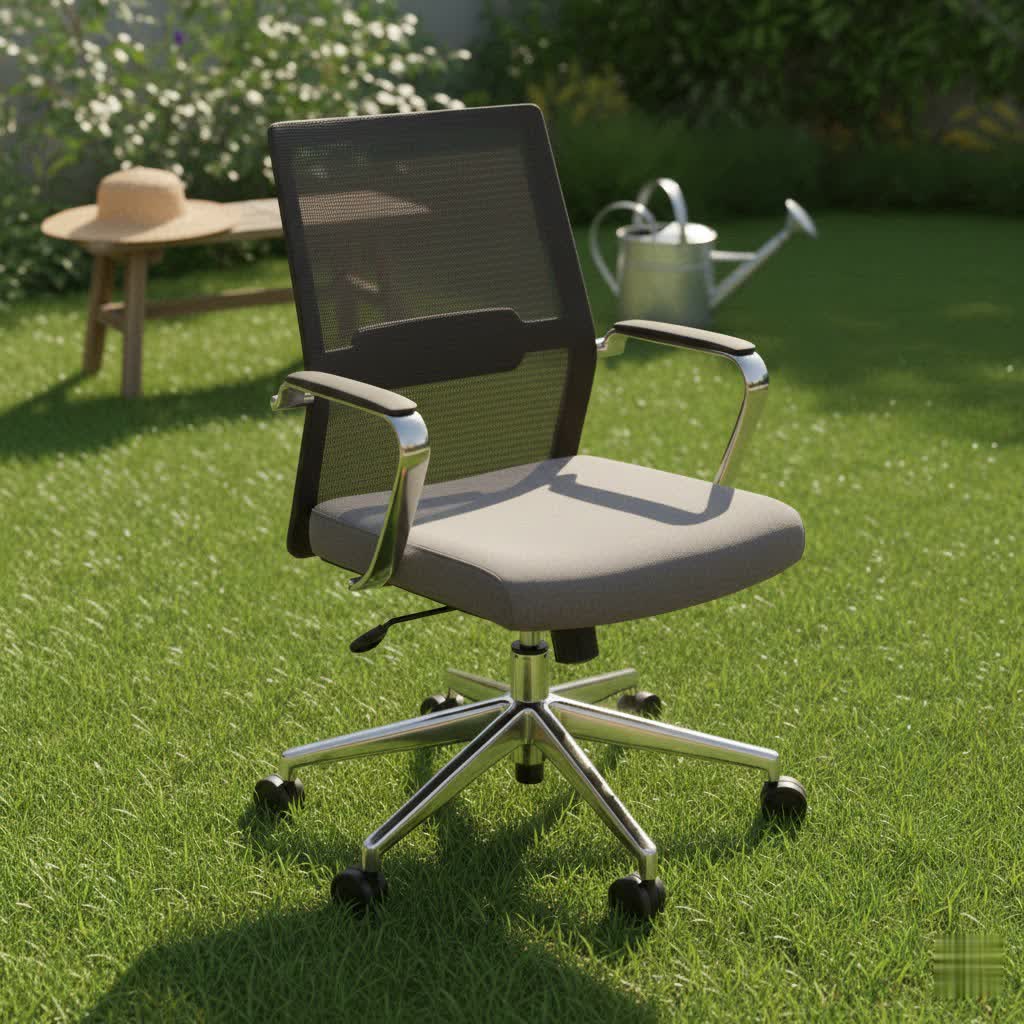
Choosing the right ergonomic office chair is a vital investment for alleviating and preventing back pain, which affects millions due to prolonged sitting in poorly designed chairs. An ideal ergonomic chair features extensive adjustability, including lumbar support, seat height and depth, and a synchronous tilt mechanism, to maintain healthy spinal alignment and reduce discomfort during long workdays.
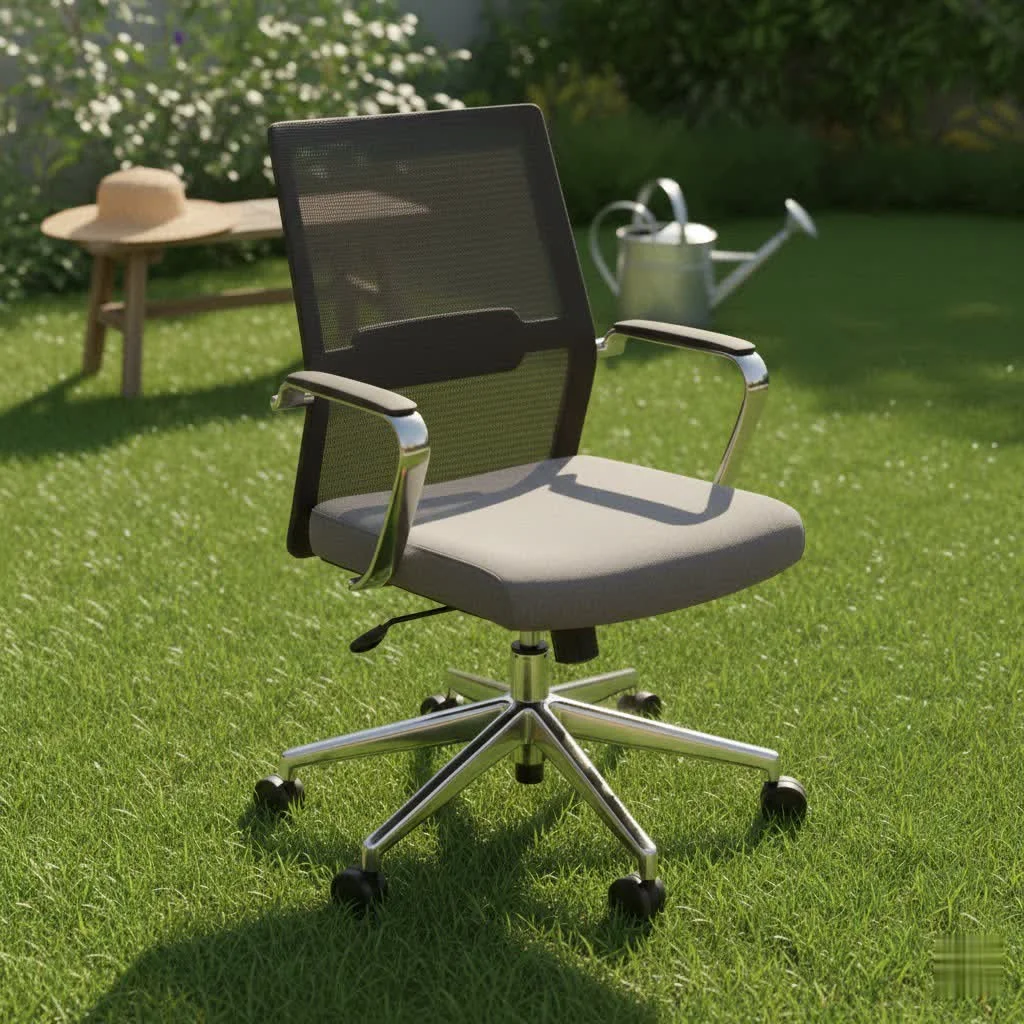
Understanding Back Pain and Your Office Chair
Our spine has natural curves that need proper support, especially when we sit for extended periods. A standard, non-adjustable office chair often fails to maintain these curves, forcing your body into unnatural positions. This leads to muscle fatigue, increased pressure on spinal discs, and ultimately, chronic pain in the lower, middle, and even upper back. A well-designed ergonomic chair is engineered to work with your body, adapting to your movements and providing continuous support to maintain healthy spinal alignment.
Essential Features of an Office Chair for Back Pain Relief
When selecting an office chair, focus on adjustability and ergonomic design. These features are crucial for customizing the chair to your unique body shape and sitting habits, ensuring optimal spinal health and comfort.
Adjustable Lumbar Support
The lumbar region, or your lower back, naturally curves inward. Your chair’s lumbar support should mimic this curve, providing gentle yet firm contact. Look for chairs with:
- Height and Depth Adjustment: This allows you to position the support precisely where your spine needs it most, accommodating different torso lengths and spinal curvatures.
- Dynamic or Adaptive Support: The best chairs offer lumbar support that moves with you as you shift positions, maintaining continuous contact and preventing your lower back from flattening out or slouching.
Seat Height Adjustment
Proper seat height is fundamental for maintaining good posture.
- Correct Positioning: Adjust the seat so your feet are flat on the floor, your knees are at approximately a 90-degree angle, and your hips are level with or slightly higher than your knees. This creates a stable base for your spine and reduces pressure.
Seat Depth Adjustment with Waterfall Edge
An often-overlooked feature, seat depth significantly impacts thigh support and circulation.
- Proper Depth: You should be able to sit with your back fully against the backrest and still fit two to three fingers between the edge of the seat and the back of your knees. This ensures adequate thigh support without cutting off circulation.
- Waterfall Edge: A seat with a gently sloping front edge reduces pressure on your thighs, further improving blood flow and minimizing strain on your lower back.
Synchronous Tilt Mechanism and Recline Function
|
Our Picks for the Best Office Chair in 2026
As an Amazon Associate I earn from qualifying purchases.
|
||
| Num | Product | Action |
|---|---|---|
| 1 | TRALT Office Chair Ergonomic Desk Chair, 330 LBS Home Mesh Office Desk Chairs with Wheels, Comfortable Gaming Chair, High Back Office Chair for Long Hours (Black) |

|
| 2 | Marsail Ergonomic Office Chair: Office Desk Chair with High Back Mesh and Adjustable Lumbar Support Rolling Work Swivel Task Chairs with Wheel 3D Armrests and Headrest |
|
| 3 | Amazon Basics Classic Puresoft PU Padded Mid-Back Height Adjustable Office Computer Desk Chair with Armrest, 26"D x 23.75"W x 42"H, Cream |
|
| 4 | Monhey Desk Computer Chairs - Ergonomic with Lumbar Support & Flip-up Arms Home Office Height Adjustable High Back Rockable Swivel 360° Warm Taupe Mesh Study Chair |
|
| 5 | Amazon Basics Classic Puresoft PU Padded Mid-Back Height Adjustable Office Computer Desk Chair with Armrest, 26"D x 23.75"W x 42"H, Black |
|
| 6 | Sweetcrispy Office Computer Desk Chair, Ergonomic High-Back Mesh Rolling Work Chairs with Wheels and Adjustable Headrests, Comfortable Lumbar Support, Comfy Flip-up Arms for Home, Bedroom, Study,Black |
|
| 7 | BestOffice - Ergonomic Office Chair - Mid-Back Swivel Desk Chair - Breathable Backrest & Lumbar Support - Adjustable Height - Sponge Seat - Rolling Wheels - Black - for Adults & Women |
|
| 8 | Ergonomic Office Chair with Footrest - Adjustable Lumbar Support & Headrest, 90-160° Reclining Mesh Back Computer Chair - Home Office/Gaming, 350lbs Capacity (SGS Certified) |
|
| 9 | TRALT Office Chair Ergonomic Desk Chair, 330 LBS Home Mesh Office Desk Chairs with Wheels, Comfortable Gaming Chair, High Back Office Chair for Long Hours (White) |
|
| 10 | TRALT Office Chair - Ergonomic Desk Chair with Adjustable Lumbar Support, Mesh Computer Chair, Executive Chairs for Home Office Comfortable Lumbar Support (Black) |
|
The ability to recline and vary your posture throughout the day is key to reducing spinal pressure.
- Synchronous Tilt: This advanced mechanism allows the backrest and seat to recline in a coordinated motion, typically at a 2:1 ratio (backrest reclines twice as much as the seat tilts). This keeps your feet grounded and your posture open, encouraging “active sitting” where your body can move naturally.
- Recline Angle: Chairs that allow a recline of 100 to 110 degrees can effectively relieve pressure on your lower spine. Some can even recline further, up to 135 degrees, for extended relaxation.
Adjustable Armrests
Armrests are not just for resting; they play a role in supporting your upper body.
- 4D Adjustability: Ideally, armrests should adjust in height, width, depth, and pivot. This allows you to position them so your elbows rest at approximately a 90-degree angle, taking the weight off your shoulders and upper back and reducing tension in your neck and spine.
Headrest (Optional but Beneficial)
While not always essential, a well-designed headrest can offer additional support.
- Neck and Upper Back Support: For those who recline frequently or need extra neck stability, an adjustable headrest can help maintain a neutral spine and alleviate tension in the upper back and neck.
Material Considerations
The material of your chair affects both comfort and durability.
- Mesh: Excellent for breathability, keeping you cool, especially in warmer climates. It can also conform well to the body.
- Fabric: Offers a wide range of colors and textures, often providing a comfortable, soft feel.
- Leather/Faux Leather: Provides a luxurious feel and is generally easy to clean, though it may not be as breathable as mesh.
Durability and Stability
A good office chair is a long-term investment.
- Sturdy Frame: Look for robust materials like steel or high-quality aluminum for the frame and base.
- Smooth Casters: Wheels that glide easily over various floor surfaces ensure effortless movement without strain.
- Weight Capacity: Ensure the chair can safely accommodate your body weight.
Types of Ergonomic Office Chairs for Back Pain
While “types” can refer to style, when addressing back pain, it’s more about the ergonomic features integrated into the chair’s design. The primary “type” you’re looking for is ergonomic. Within this category, chairs are often distinguished by their adjustability range, materials, and price points.
- High-End Ergonomic Chairs: Brands like Herman Miller and Steelcase offer chairs with extensive, intuitive adjustments, superior materials, and advanced support systems (e.g., PostureFit SL for sacral support). These are designed for optimal health and durability, often coming with long warranties.
- Mid-Range Ergonomic Chairs: Brands like Branch and some Sihoo models provide a robust set of ergonomic features, excellent comfort, and good adjustability at a more accessible price point. They often strike a balance between advanced functionality and affordability.
- Budget-Friendly Ergonomic Chairs: Chairs from brands like Gabrylly or certain Sihoo models offer essential ergonomic adjustments, such as lumbar support and mesh backs, at a lower cost, making basic back support more widely available.
Top Office Chairs for Back Pain: A Comparison
Choosing the best chair can be daunting with so many options. Here’s a brief look at some highly-rated chairs known for their back pain relief capabilities, showcasing a range of features and price points.
| Brand | Model | Key Advantages | Considerations | Estimated Price Range |
|---|---|---|---|---|
| Herman Miller | Aeron | Iconic design, exceptional adjustability, PostureFit SL for sacral support. | Premium price, mesh may not appeal to all. | $1,500 – $2,000+ |
| Herman Miller | Embody | Designed with extensive medical input, encourages micro-movements. | Very high price point, distinctive aesthetic. | $1,800 – $2,300+ |
| Steelcase | Leap | Mechanically engineered backrest, precise adjustments, “sticky” recline. | High price, can be bulky. | $1,000 – $1,500+ |
| Branch | Ergonomic Chair Pro | Chic design, super comfortable, loads of adjustments, excellent value. | Requires assembly, taller users may need an extended cylinder. | $700 – $800 |
| Sihoo | M18 | Excellent budget option, comfortable, good ergonomics for the price. | Basic materials, less advanced adjustments than premium. | $200 – $300 |
| Ergohuman | GEN2 | Impressive adjustable lumbar support, stays with you when leaning forward. | Pronounced lumbar support might be too much for some. | $800 – $1,000 |
| X-Chair | X4 Executive | Dynamic lumbar support, thick contoured seat, great for lower back pain. | Higher price point. | $1,000 – $1,200+ |
How to Choose the Right Office Chair for Your Back Pain
Finding your ideal office chair involves a personal assessment and thorough research.
-
Identify Your Specific Needs:
- Hours of Use: How many hours do you sit daily? Longer hours necessitate more robust ergonomic features.
- Existing Pain: Do you have lower back, mid-back, or neck pain? This will guide which specific adjustments are most critical.
- Body Type: Consider your height, weight, and build. Ensure the chair’s dimensions (seat width, depth, backrest height) are suitable.
- Budget: Determine a realistic budget, understanding that a quality ergonomic chair is an investment.
-
Research Thoroughly:
- Read detailed reviews from trusted sources and expert analyses.
- Watch video reviews to see the chair’s features and adjustments in action.
- Consult with others who have similar back concerns for their experiences.
-
Try Before You Buy (If Possible):
- This is crucial. Sit in the chair for at least 15-30 minutes if possible.
- Adjust every setting: seat height, depth, lumbar support, recline, and armrests. Ensure you can achieve a comfortable and supportive posture across various tasks.
- Pay attention to how your spine feels. Does the lumbar support hit the right spot? Are there any pressure points?
-
Check Warranty and Return Policies:
- Reputable brands offer extensive warranties (often 5-12 years) on components.
- Understand the return policy in case the chair doesn’t meet your expectations after extended use.
Setting Up Your Ergonomic Office Chair for Optimal Back Health
Even the best ergonomic chair won’t help if it’s not set up correctly.
- Adjust Seat Height: Sit with your feet flat on the floor, knees at 90 degrees. Your hips should be slightly higher than your knees.
- Set Seat Depth: Push your hips all the way back against the backrest. You should have 2-3 fingers’ width between the front edge of the seat and the back of your knees.
- Position Lumbar Support: Adjust the height and depth of the lumbar support so it gently fills the natural inward curve of your lower back. It should feel supportive, not pushy.
- Adjust Armrests: Set armrest height so your elbows are at a 90-degree angle, with your forearms parallel to the floor, taking pressure off your shoulders and neck.
- Recline Appropriately: Utilize the recline feature to periodically shift your posture. A slight recline (100-110 degrees) can alleviate spinal pressure.
- Monitor Placement: Ensure your monitor’s top edge is at eye level, approximately an arm’s length away, to prevent neck strain.
Beyond the Chair: Maintaining a Healthy Spine
An ergonomic chair is a tool, not a cure-all. Consistent movement is paramount for spinal health.
“A good office chair is an investment in your health and productivity, but it’s only one piece of the puzzle. Regular movement is just as vital.” – ReviewNow Inc. Admin
- Take Movement Breaks: Every 20-30 minutes, stand up, stretch, or take a short walk (even just for 2-3 minutes). These “movement snacks” improve blood flow and keep your nervous system happy.
- Stretch Regularly: Incorporate gentle stretches for your hip flexors and hamstrings, which can become tight from prolonged sitting and contribute to lower back pain.
- Listen to Your Body: Pay attention to early signs of discomfort and adjust your posture or take a break.
- Consult a Professional: If you experience chronic or severe back pain, seek guidance from a healthcare professional or physical therapist.
Conclusion
Choosing the right office chair for back pain is a critical step towards a more comfortable and productive work life. By understanding the key ergonomic features—adjustable lumbar support, proper seat height and depth, synchronous tilt, and adjustable armrests—you empower yourself to make an informed decision. No single chair fits everyone, so prioritize adjustability and a fit that cradles your unique body. Combine your new ergonomic throne with healthy sitting habits and regular movement, and you’ll be well on your way to saying goodbye to back pain and hello to a healthier, happier you.
What adjustments will you make to your workspace to prioritize your spinal health?
Frequently Asked Questions
Is an ergonomic office chair really worth the investment for back pain?
Absolutely. An ergonomic office chair is designed to support the natural curvature of your spine and encourage healthy posture. This can significantly reduce pressure on your back, alleviate pain, and prevent long-term spinal issues, making it a worthwhile investment in your overall health and productivity.
Should I choose a mesh or leather office chair for back pain?
Both mesh and leather can be good options, depending on your preferences. Mesh offers superior breathability, which is excellent for keeping cool during long hours. Leather provides a luxurious feel and is easy to clean. For back pain, the material is less critical than the underlying ergonomic adjustability and support structure of the chair.
What is the ideal recline angle for an office chair to relieve back pain?
Many experts recommend a slight recline of 100 to 110 degrees for optimal spinal health. This angle helps distribute weight more evenly across your back and reduces disc pressure compared to sitting rigidly upright. Some chairs allow for even greater recline for temporary relaxation.
How often should I take breaks from sitting in my office chair?
You should take short movement breaks every 20-30 minutes, standing up, stretching, or walking for 2-3 minutes. These regular breaks improve blood flow, reduce muscle fatigue, and help maintain spinal health, complementing the benefits of an ergonomic chair.
Can a headrest help with upper back and neck pain?
Yes, an adjustable headrest can significantly help with upper back and neck pain, especially for those who recline frequently or need extra neck stability. It supports a neutral spine position, reducing tension in the upper back and neck muscles.
What are the key features of a high-end ergonomic chair?
High-end ergonomic chairs, such as those from Herman Miller or Steelcase, offer extensive, intuitive adjustments, superior materials, and advanced support systems like sacral support. They are designed for optimal health, durability, and often come with long warranties, justifying their premium price point.
Frequently Asked Questions
Is an ergonomic office chair really worth the investment for back pain?
Absolutely. An ergonomic office chair is designed to support the natural curvature of your spine and encourage healthy posture. This can significantly reduce pressure on your back, alleviate pain, and prevent long-term spinal issues, making it a worthwhile investment in your overall health and productivity.
Should I choose a mesh or leather office chair for back pain?
Both mesh and leather can be good options, depending on your preferences. Mesh offers superior breathability, which is excellent for keeping cool during long hours. Leather provides a luxurious feel and is easy to clean. For back pain, the material is less critical than the underlying ergonomic adjustability and support structure of the chair.
What is the ideal recline angle for an office chair to relieve back pain?
Many experts recommend a slight recline of 100 to 110 degrees for optimal spinal health. This angle helps distribute weight more evenly across your back and reduces disc pressure compared to sitting rigidly upright. Some chairs allow for even greater recline for temporary relaxation.
How often should I take breaks from sitting in my office chair?
You should take short movement breaks every 20-30 minutes, standing up, stretching, or walking for 2-3 minutes. These regular breaks improve blood flow, reduce muscle fatigue, and help maintain spinal health, complementing the benefits of an ergonomic chair.
Can a headrest help with upper back and neck pain?
Yes, an adjustable headrest can significantly help with upper back and neck pain, especially for those who recline frequently or need extra neck stability. It supports a neutral spine position, reducing tension in the upper back and neck muscles.
What are the key features of a high-end ergonomic chair?
High-end ergonomic chairs, such as those from Herman Miller or Steelcase, offer extensive, intuitive adjustments, superior materials, and advanced support systems like sacral support. They are designed for optimal health, durability, and often come with long warranties, justifying their premium price point.
How to Choose the Right Office Chair for Back Pain
Finding the ideal office chair for back pain involves assessing your personal needs, researching thoroughly, and testing chairs to ensure optimal support and comfort.
Consider how many hours you sit daily, the location of any existing pain (lower back, mid-back, neck), and your body type (height, weight, build). Also, determine a realistic budget, recognizing that a quality ergonomic chair is a significant investment in your health.
Read detailed reviews from trusted sources and expert analyses. Watch video reviews to see the chair's features and adjustments in action, and consult with others who have similar back concerns for their experiences and recommendations.
Sit in the chair for at least 15-30 minutes to assess its comfort and support. Adjust every setting, including seat height, depth, lumbar support, recline, and armrests, to ensure you can achieve a comfortable and supportive posture for various tasks. Pay close attention to how your spine feels and if there are any pressure points.
Reputable brands typically offer extensive warranties, often ranging from 5 to 12 years, on their chair components. Understand the return policy in detail, as this is crucial in case the chair does not meet your expectations after extended use.
Get our weekly buyer guide
Practical specs, not advice. Unsubscribe anytime.

I appreciate the breakdown of how different chairs address specific back pain issues. I tried the Branch Ergonomic Chair because it was in my price range and had decent reviews for upper back support. While it’s definitely better than my old chair, I still find myself adjusting a lot to get truly comfortable. The seat depth adjustment is a bit finicky, and I wish it had a wider range for taller users like me.
After reading about how important proper spinal alignment is, I finally pulled the trigger on a new chair. I went with the X-Chair X3, and it’s been a game-changer for my posture. The dynamic lumbar support is incredible, and I no longer feel that nagging pressure on my spinal discs by the end of the workday. My productivity has even improved because I’m not constantly shifting around in discomfort.
I’ve been struggling with lower back pain for years from my old chair, and the mention of synchronous tilt mechanism really caught my eye. I ended up getting one of the recommended chairs, the Herman Miller Aeron, and it’s made a huge difference. The adjustability is fantastic, and I can feel my spine is much better supported throughout the day. Definitely worth the investment for anyone with chronic pain.
This guide was super helpful in narrowing down my options. I was specifically looking for something with good lumbar support, and the Steelcase Gesture was a great fit. It’s comfortable for long hours, and I’ve noticed a significant reduction in the stiffness I used to get in my middle back. My only minor gripe is the armrests could be a little more padded, but it’s not a dealbreaker.